
Private beta for Pokemon card collectors
PokeChex
Scan, price, and compare Pokemon cards in one AI assistant.
PokeChex helps you identify cards, inspect visual matches, check raw value context, and ask follow-up questions without jumping between tools — then find, reserve, and sell cards at real shops near you.
Identify single cards or full spreadsInspect visual matches before you trust themSearch real shop stock near you and reserve for pickup
Product loop
A faster path from photo to decision.
PokeChex mirrors the moment at the table: upload real card photos, keep the evidence visible, and turn the result into a useful next step.
Capture
Upload a single card, binder page, table spread, or trade stack.
Separate
PokeChex segments the image so each card can be reviewed on its own.
Match
Visual matches stay visible, giving you a way to check the result.
Decide
Use raw value context, reports, and follow-up questions to move faster.
Feature walkthrough
Every major feature gets its own proof.
Instead of a short list of claims, each feature is paired with the actual screen that demonstrates it. See the full feature tour.
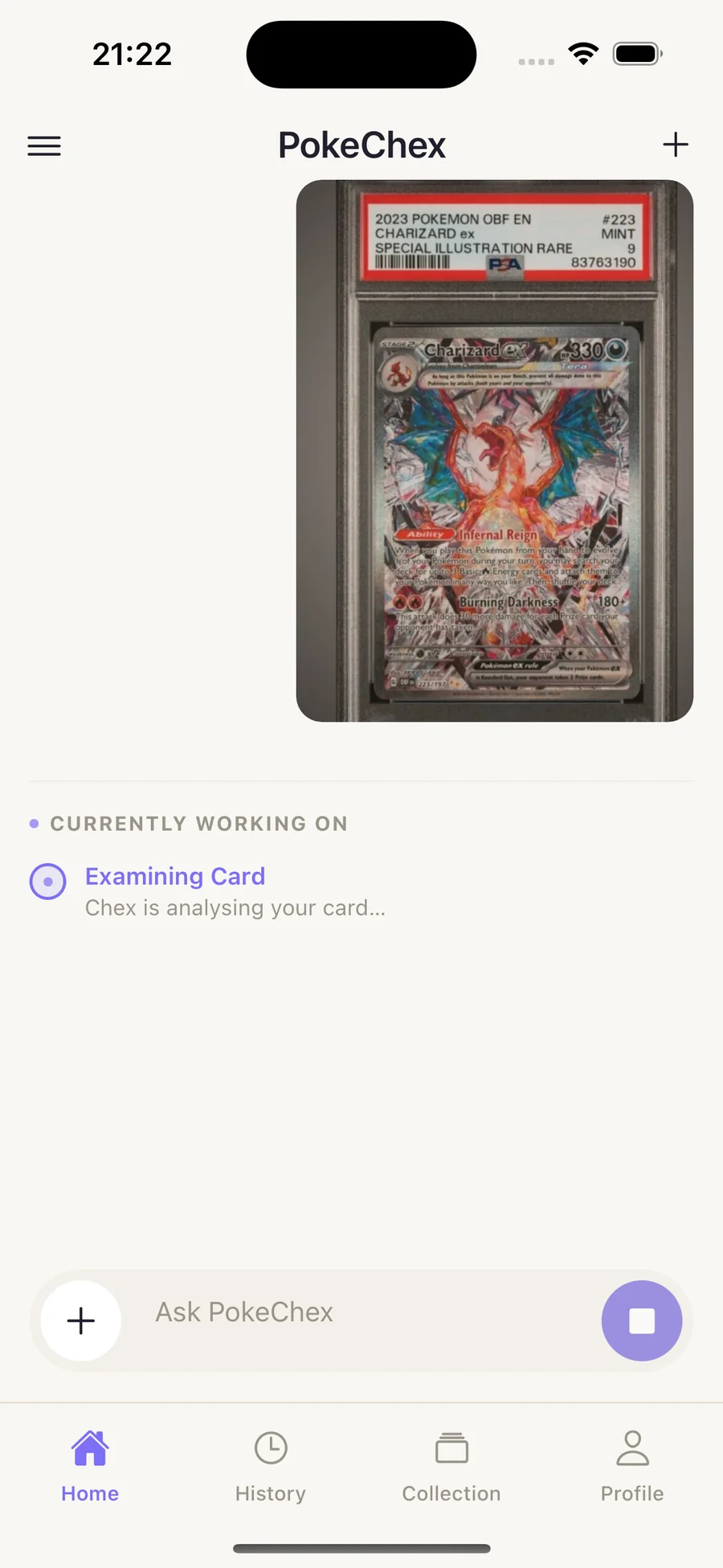
Quick Scan
Quick Scan
Start with the photo you already have.
Use PokeChex for a single card price check or a quick read on a pickup before you commit.
- Identify card, set, and variant
- Get raw value context
- Ask what to check next
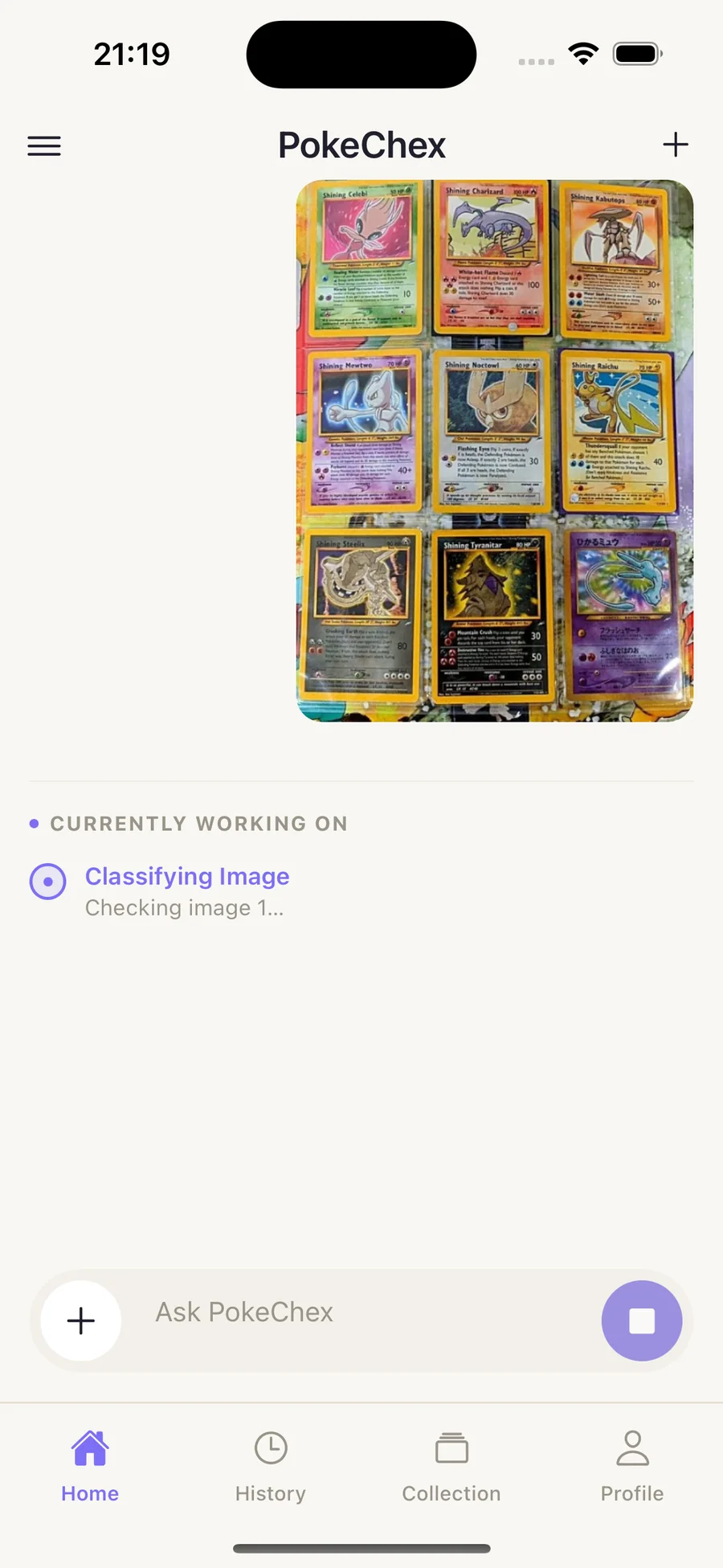
Multi-card segmentation
Multi-card segmentation
Turn one spread into separate checks.
Binder pages and trade piles are handled as a batch, with each card kept traceable back to the original upload.
- Detect multiple cards from one upload
- Keep every crop reviewable
- Move through a stack without retyping
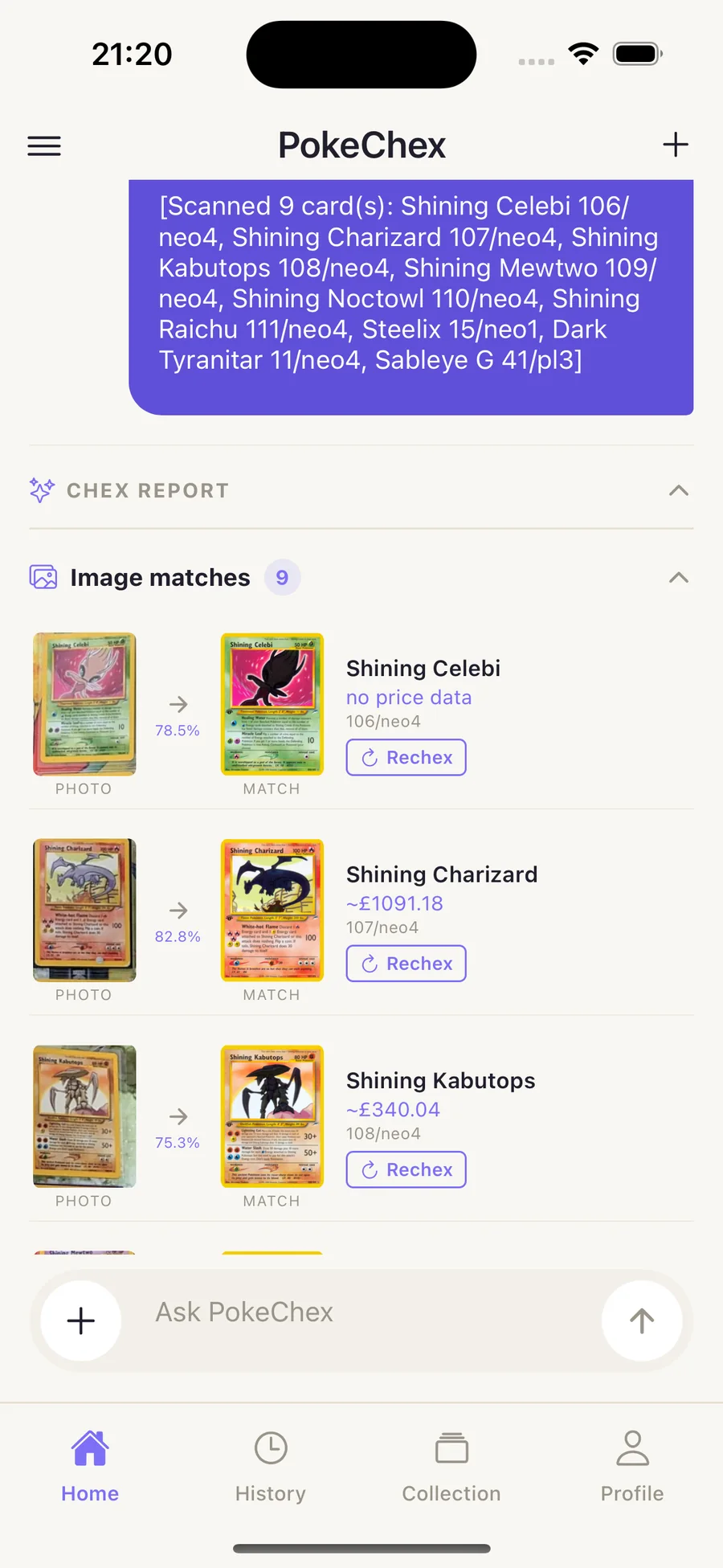
Image matches
Image matches
See why a card was selected.
PokeChex does not hide the matching step. You can inspect the visual match list before you lean on the report.
- Review matches card by card
- Catch set or artwork mismatches
- Use the evidence in trade chats
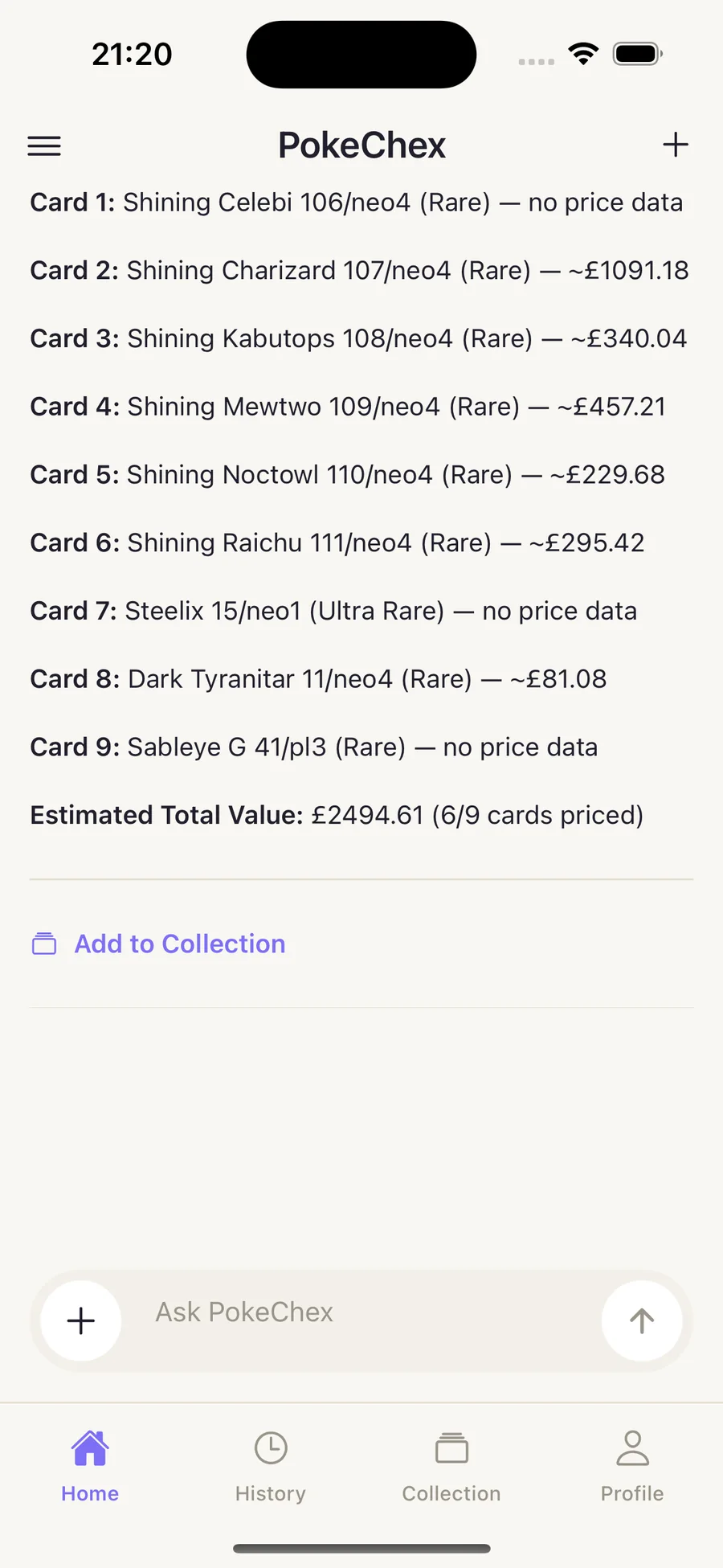
Chex Report
Chex Report
Get a readable card-by-card report.
Reports keep identification, estimate context, and totals together so you can make the next decision without leaving the thread.
- Summaries for full batches
- Estimated totals for quick triage
- Plain-language next steps
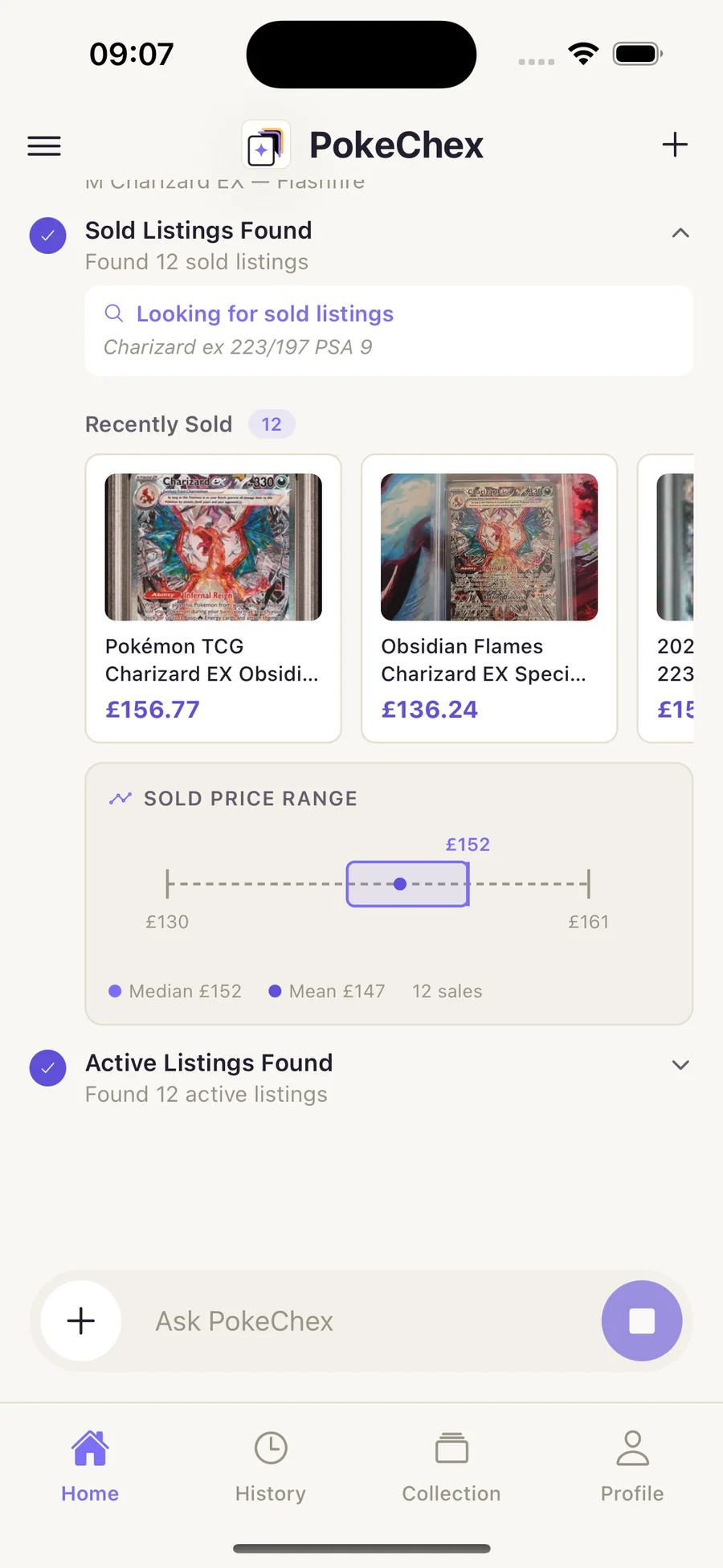
Agent Scan
Agent Scan
Go deeper when a card deserves it.
Max users can run deeper sold-listing analysis for cards where condition, recency, and market spread matter.
- Sold-listing context
- Market range explanation
- Useful for high-value cards
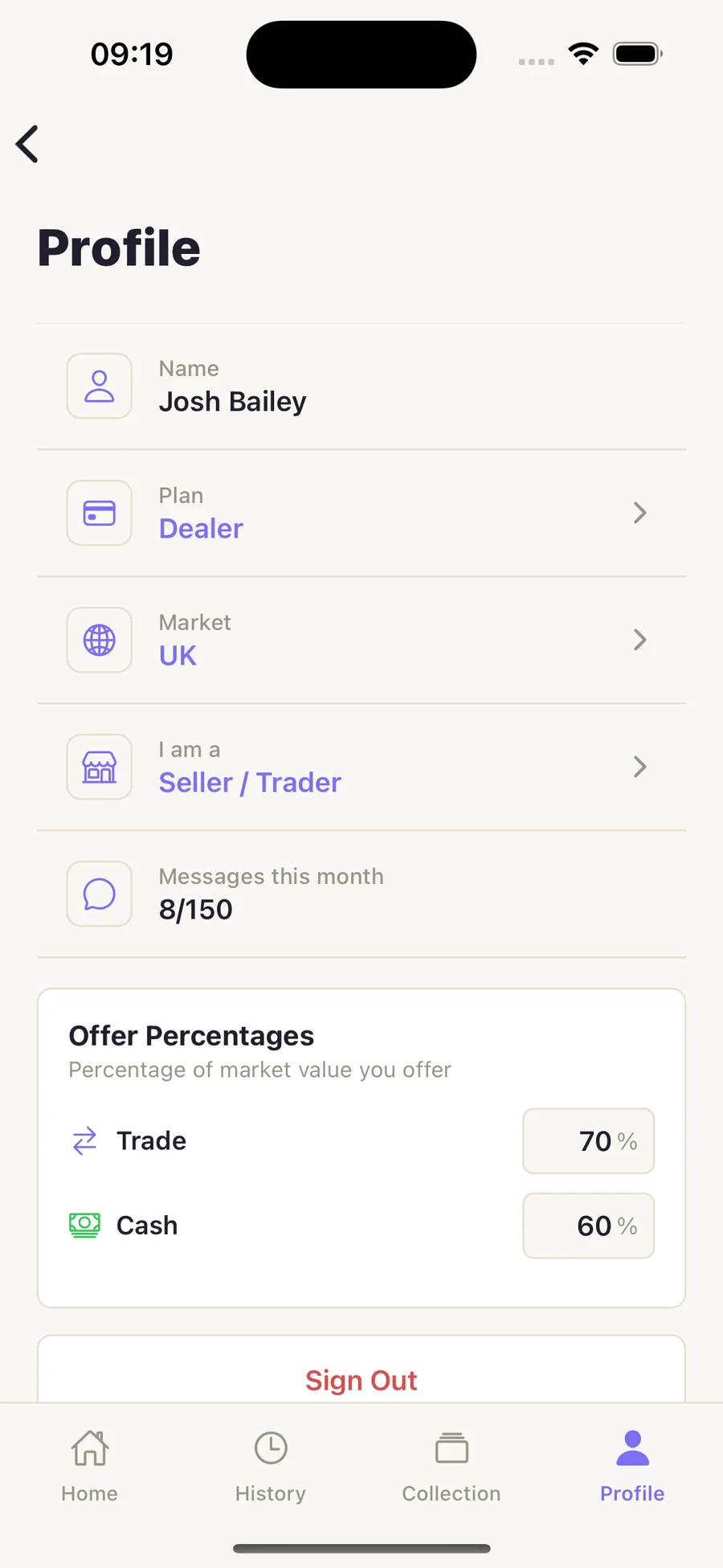
Collection tools
Collection tools
Tune the assistant to how you buy and sell.
Profiles, offer percentages, and collection context help PokeChex feel useful for collectors, traders, and shop workflows.
- Dealer and collector settings
- Offer percentage preferences
- Collection-aware follow-ups
Two sides, one network
Collectors find cards. Shops get found.
The app tracks and prices what you own; partner shops keep their live stock searchable beside it. Pick your side — the pages below walk through each.
Collectors
Track your collection with AI scanning and live values — then search real shops' stock, reserve cards, and sell to buylists.
- Scan and price whole binders
- Search partner shop shelves
- Reserve for pickup, no fees
Traders
Bring a clear second opinion into trade talks — and turn spare cards into cash or credit at buylist shops.
- Trade stack summaries
- Instant buylist quotes
- Counter-offers and threads
Vendors
A full inventory system in the browser: CSV and photo imports, auto-repricing, reservations, buylist, and a sales ledger.
- Stock searchable by collectors
- Sell mode for shows
- Chex as a shop assistant
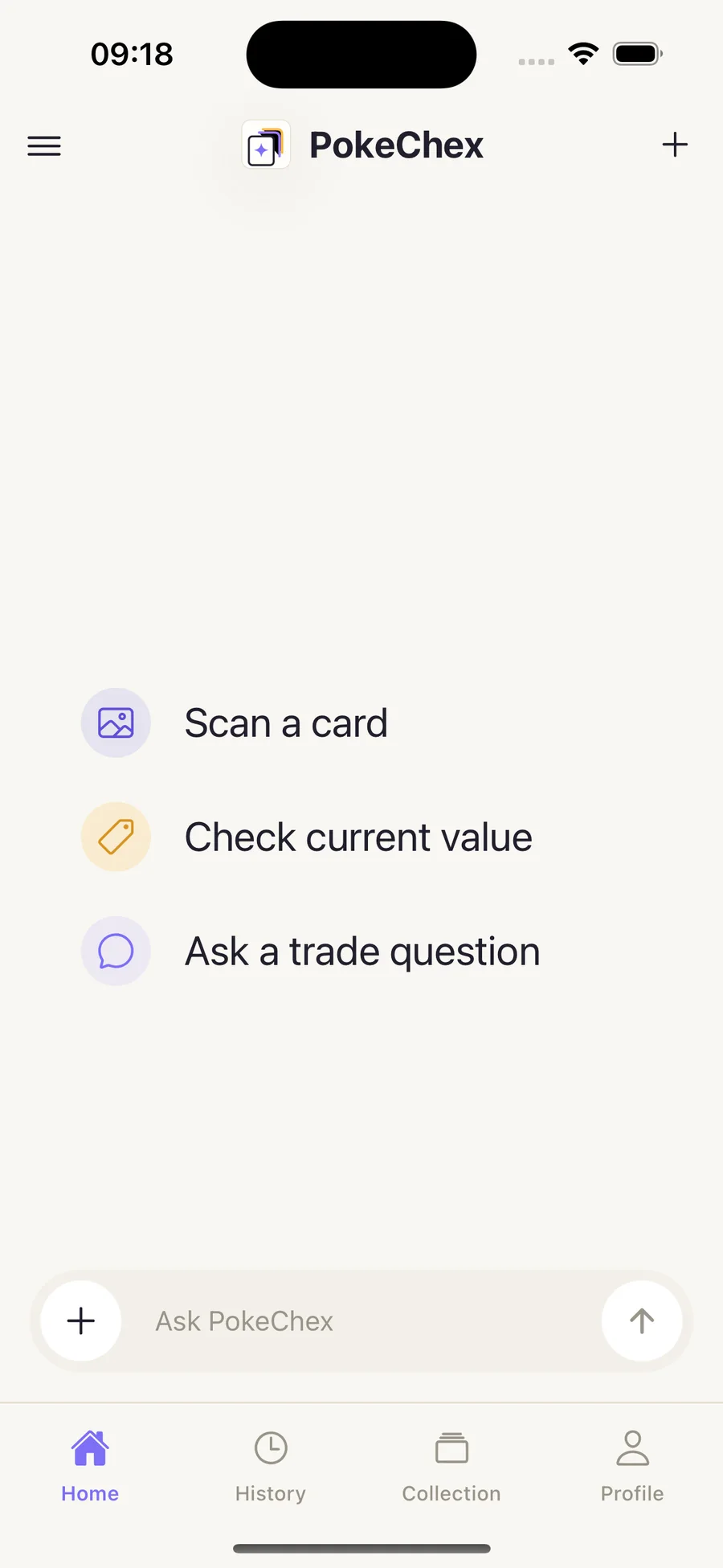
Screens from the app
Walk through the live product flow.
Browse the core alpha screens: home actions, classification, image matches, reports, Agent Scan, and profile settings.
Launch pricing
Start small, then scale with scan volume.
Free for testing, Pro for regular collectors, Max for Agent Scan and heavier workflows. Compare plans in detail.
Free
For testing PokeChex with real card photos.
£010 images / month
Join freePro
For collectors who scan cards regularly.
£5.99/ month
Join Pro waitlistMax
For shops and heavy traders — includes the full Vendor Portal.
£14.99/ month
Join Max waitlist| Feature | Free | Pro | Max |
|---|---|---|---|
| Scanning & pricing | |||
| Images per month | 10 | Unlimited | Unlimited |
| Quick Scan | Included | Included | Included |
| Multi-card segmentation | Included | Included | Included |
| Image matches & Chex Report | Included | Included | Included |
| Raw value context | Not included | Included | Included |
| Agent Scan — deep market analysis | Not included | Not included | 150 / month |
| Assistant & collection | |||
| Chex assistant chat | Not included | Included | Included |
| Set & market research | Not included | Included | Included |
| Collection tracking with live values | Included | Included | Included |
| Shops & shows | |||
| Search real shop stock near you | Included | Included | Included |
| Reserve cards for pickup | Included | Included | Included |
| Sell to shops — buylist offers & counters | Included | Included | Included |
| Wishlist stock alerts | Included | Included | Included |
| UK card shows directory | Included | Included | Included |
| Vendor tools | |||
| Vendor Portal on the web | Not included | Not included | Included |
| CSV, marketplace & photo stock imports | Not included | Not included | Included |
| Market-tracking auto-repricing | Not included | Not included | Included |
| Reservation & buylist queues | Not included | Not included | Included |
| Sell Mode & sales ledger | Not included | Not included | Included |
| Card show attendance badges | Not included | Not included | Included |
| Support | Standard | Priority | Premium |
Launch questions
Clear expectations before early access.
A few of the most common questions. Read the full FAQ.
What is PokeChex?
PokeChex is an AI assistant for Pokemon TCG collectors, traders, and vendors. It helps identify cards, inspect image matches, review raw value context, and ask follow-up questions in one flow.
Can it scan more than one card at a time?
Yes. Multi-card segmentation is built for binder pages, table spreads, and trade stacks so one upload can become a card-by-card review.
Can I find cards at local shops?
Yes. Partner vendors keep their live inventory on PokeChex, so you can search real shop stock by card name from the app's Shops tab, see the nearest shops first, and reserve a card for pickup — the shop holds it and you pay in person.
I run a card shop — what do I get?
The Vendor Portal: a browser-based inventory system with CSV and binder-photo imports, market-tracking auto-repricing, reservation and buylist queues, a sales ledger with per-show takings, and an AI assistant. Your public stock becomes searchable by every collector on PokeChex. Vendor tools ship with the Max plan.
What is Agent Scan?
Agent Scan is the deeper Max workflow for cards that need more market context, including sold-listing analysis and a fuller explanation of the estimate range.
How accurate are the values?
PokeChex shows raw estimate context from available catalog and marketplace signals, with source and freshness kept visible. Values are estimates, not guaranteed resale prices, and can be affected by condition, print, set, language, market, and available data.
Ready to scan your next card stack?
Join the private beta for Quick Scan, image matches, segmentation, Chex reports, and Agent Scan.